Best Family Chore App 2026: Chore Tracker for Kids & Household Tasks
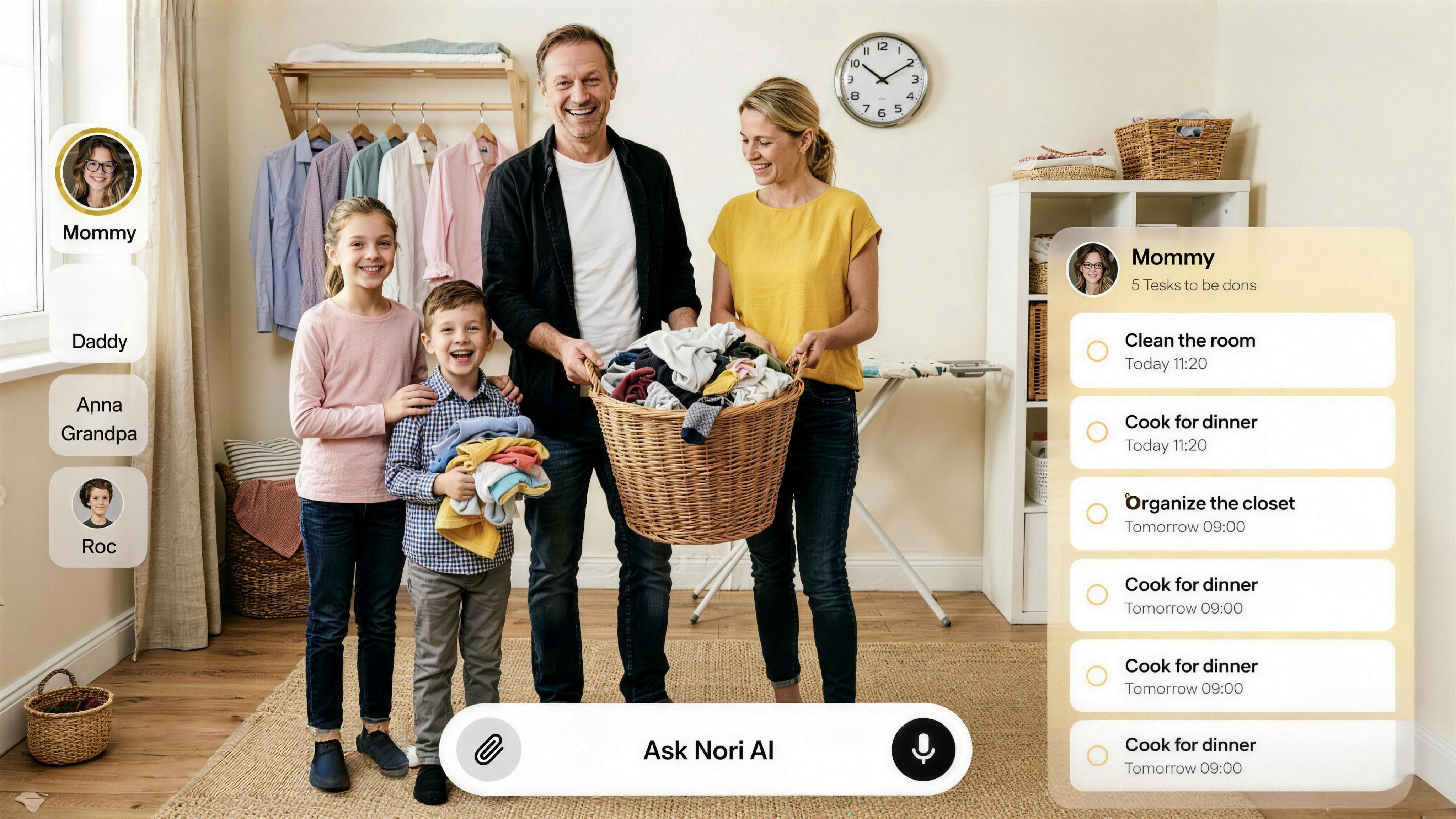
Getting kids to do chores without constant reminders is a universal parent challenge. The best family chore app 2026 makes it easier: assign tasks, track completion, and—ideally—add chores by voice so you're not typing while directing traffic. Cozi introduced Cozi Chores for household task tracking; Family Daily and Kikaroo focus on chore apps for kids. Here's how the top options compare—and why voice input changes the game. For the full family task hub, see our best shared to-do list apps for families.
Key Takeaways
- Nori adds chores by voice, photo, or email—assign tasks without stopping to type
- Cozi Chores and OurHome offer dedicated chore tracking with rewards
- Kikaroo and S'moresUp focus on kids with points and allowance
- Look for: recurring tasks, family sharing, and—increasingly—low-friction input
What Makes a Great Family Chore App?
A great family chore app should:
| Feature | Why it matters |
|---|---|
| Recurring tasks | "Take out trash every Tuesday" without re-adding |
| Assignments | Assign chores to specific family members |
| Family visibility | Everyone sees who does what |
| Low-friction input | Voice or quick add—not typing while herding kids |
Cozi Chores and similar apps prove the demand: families want chore tracking built into their organization stack. The best family chore app 2026 goes further—voice input means you can say "Add empty dishwasher to Emma's chores" without opening the app.
Top 6 Family Chore Apps for 2026
1. Nori — Best for Voice, Photo & Email Chore Input
Nori isn't a chore-only app—it's a family organizer that handles chores as tasks. Add chores by voice ("Add vacuum living room to Jake's list"), snap a handwritten chore chart, or forward an email. Assign to family members. Recurring tasks supported. Integrates with calendar, meal planning, and shopping—so chores live alongside the rest of family life.
Pros: Voice, photo, email input; calendar + tasks + meals; family-shared. Cons: Not chore-gamification focused. Pricing: Core free; AI pay-as-you-go.
Best for: Families who want chores in one app with voice input and no typing.
2. Cozi Chores
Cozi added Cozi Chores for household task tracking. Assign chores to family members, set recurring schedules, and track completion. Part of the Cozi family hub (calendar, lists, meal planning). Manual entry; Cozi Max adds some AI.
Pros: Proven brand; integrated with Cozi calendar and lists. Cons: Manual entry. Pricing: Free; Gold $40/year; Max $79.99/year.
Best for: Cozi users who want built-in chore tracking.
3. OurHome
OurHome focuses on chores and rewards. Kids earn points for completed tasks; parents set rewards. Recurring chores, assignments, and family sync. Strong for motivation-focused families.
Best for: Families who want a points/rewards system for chores.
4. S'moresUp
S'moresUp offers chore charts with allowance tracking. Kids earn "s'mores" (points) for chores; redeem for rewards. Age-appropriate task lists. Good for younger kids.
Best for: Families with younger kids who want allowance tied to chores.
5. HomeRoutines / Tody
HomeRoutines and Tody focus on cleaning frequency—zone-based or habit-based. Less "assign to kids," more "track household cleaning." Good for adults managing cleaning schedules.
Best for: Adults who want cleaning routine tracking, not kid chore charts.
6. Apple Reminders + Shared Lists
Apple Reminders with shared lists can approximate chore tracking. Create a "Chores" list, add tasks, assign via list sharing. Free for Apple users. Manual entry.
Best for: Apple-only families who want simple, free chore lists.
Voice Input: Why It Matters for Chores
When you're in the middle of "Emma, did you empty the dishwasher?"—adding a chore to an app is the last thing you want to do. Voice input lets you say it once: "Add empty dishwasher to Emma's chores, recurring daily." The app captures it; you move on. Nori supports this natively; most chore apps require manual entry.
Chore Apps vs. Family To-Do Apps
Chore-specific apps (OurHome, S'moresUp, Kikaroo): Gamification, points, allowance, kid-focused UX. Family to-do apps (Nori, Cozi): Chores as tasks within a broader hub—calendar, meals, shopping. If you want chores alongside everything else, choose a family organizer. If you want dedicated chore gamification, choose a chore app.
Real-World Chore Scenarios
Morning routine — "Make bed," "Brush teeth," "Pack backpack." Recurring daily. Assign to each kid. They check off; you see completion. Voice: "Add make bed to Jake's chores, recurring daily."
Weekly chores — "Take out trash every Tuesday." "Vacuum living room every Saturday." Recurring tasks with assignments. No re-adding each week.
Allowance tracking — S'moresUp and OurHome tie chores to points and rewards. Kids earn; they redeem. Nori and Cozi handle chores as tasks—you can track completion but don't have built-in allowance logic.
Chore chart from school — Some schools send printed chore charts. Snap a photo; Nori extracts tasks and can add them. No retyping.
Age-appropriate chores — Younger kids: make bed, set table, put away toys. Older kids: empty dishwasher, take out trash, vacuum. Assign by capability. Chore apps like S'moresUp offer age-based suggestions; family to-do apps like Nori let you create custom lists.
Rotating chores — "Who does dishes this week?" Create a rotating assignment. Some apps support this; others require manual rotation. The key is visibility—everyone sees who's responsible.
Comparison: Chore Apps vs. Family To-Do Apps
| Feature | Nori | Cozi | OurHome | S'moresUp |
|---|---|---|---|---|
| Voice input | Yes | Yes | Yes | Yes |
| Photo/email input | Yes | Yes | Yes | Yes |
| Chore assignments | Yes | Yes | Yes | Yes |
| Recurring chores | Yes | Yes | Yes | Yes |
| Points/rewards | Yes | Yes | Yes | Yes |
| Allowance tracking | Yes | Yes | Yes | Yes |
| Calendar + meals | Yes | Yes | Yes | Yes |
Choose a chore app (OurHome, S'moresUp) if you want gamification and allowance. Choose a family to-do app (Nori, Cozi) if you want chores alongside calendar and meals, with voice/photo input for low-friction add.
Getting Started with Family Chores
- List all chores — Brainstorm with the family. Who does what? How often? Write them down.
- Choose your app — Gamification vs. calendar integration. Points vs. simplicity.
- Add chores — Voice: "Add vacuum living room to Jake, every Saturday." Photo: snap the school chore chart. Email: forward the list.
- Assign and remind — Assign each chore. Set reminders if the app supports them.
- Review weekly — Check completion. Adjust assignments. Add new chores as kids grow.
Pro tip: Start small. Don't add 20 chores on day one. Add 3–5 core chores. Get the family used to checking the app. Then expand.
When Chore Apps Fail
Nobody checks — If the app isn't the default, people forget. Put it on the home screen. Use reminders. For younger kids, gamification (points, rewards) helps. For older kids, visibility—everyone sees who did what—creates accountability. Make the list the source of truth.
Chore resistance — "I don't want to do it." Gamification helps with younger kids. For older kids, consistency matters. The chore list holds the expectation. "If it's not done, it's on the list." No nagging needed. The app holds the expectation. You just point to the list.
Wrong assignee — Reassign. Most apps let you change. Or add a note. Clarity prevents "I thought you were doing it." The key is visibility—everyone sees who's responsible.
Recurring chores not updating — Some apps require manual "reset" for recurring chores. Check the app's recurrence logic. "Every Tuesday" should create a new instance each week. If it doesn't, you may need to add manually or switch apps.
Conclusion
The best family chore app 2026 depends on your priority: gamification for kids, or chores integrated with the rest of family life. Nori leads for voice, photo, and email input—add and assign chores without typing. Try Nori free.
FAQ: Best Family Chore App 2026
Which chore app has voice input? Nori supports voice for chores (and all tasks). Say "Add empty dishwasher to Emma's chores, recurring daily." Most chore apps require manual entry.
Should I use a chore app or a family to-do app? Chore apps (OurHome, S'moresUp) offer gamification and allowance. Family to-do apps (Nori, Cozi) put chores alongside calendar and meals. If you want everything in one place with voice input, choose a family organizer. If you want points and rewards for kids, choose a chore app.
How do I get my kids to actually use it? Make it visible. Put the app on the home screen. Use reminders. For younger kids, gamification (points, rewards) helps. For older kids, shared visibility—everyone sees who did what—creates accountability.
Can I assign chores to specific family members? Yes. Nori, Cozi, OurHome, and S'moresUp all support assignments. Create a "Chores" list or use the app's chore feature; assign each task to a person.
What about chore reminders? Many apps send reminders when a chore is due. Nori integrates with the family calendar—chores can have due times. OurHome and S'moresUp send notifications to kids. Choose based on whether you want reminders to go to you (the parent) or directly to the kids.
How do I handle chore resistance? Gamification (points, rewards) helps with younger kids. For older kids, visibility and accountability—everyone sees who did what—often works. Consistency matters: the chore list is the source of truth. "If it's not done, it's on the list." No nagging needed—the app holds the expectation.
Related Articles
- Best Shared To-Do List Apps for Families 2026
- Best Family Organizer App 2026
- How to Organize Family Schedule (Without Losing Your Mind)
- Best Family Calendar App 2026
Written by the Nori Team. Nori has scheduled 1M+ events for 20,000+ families.