Best AI Family Organizer 2026 | Smart Voice, Photo & Email Input
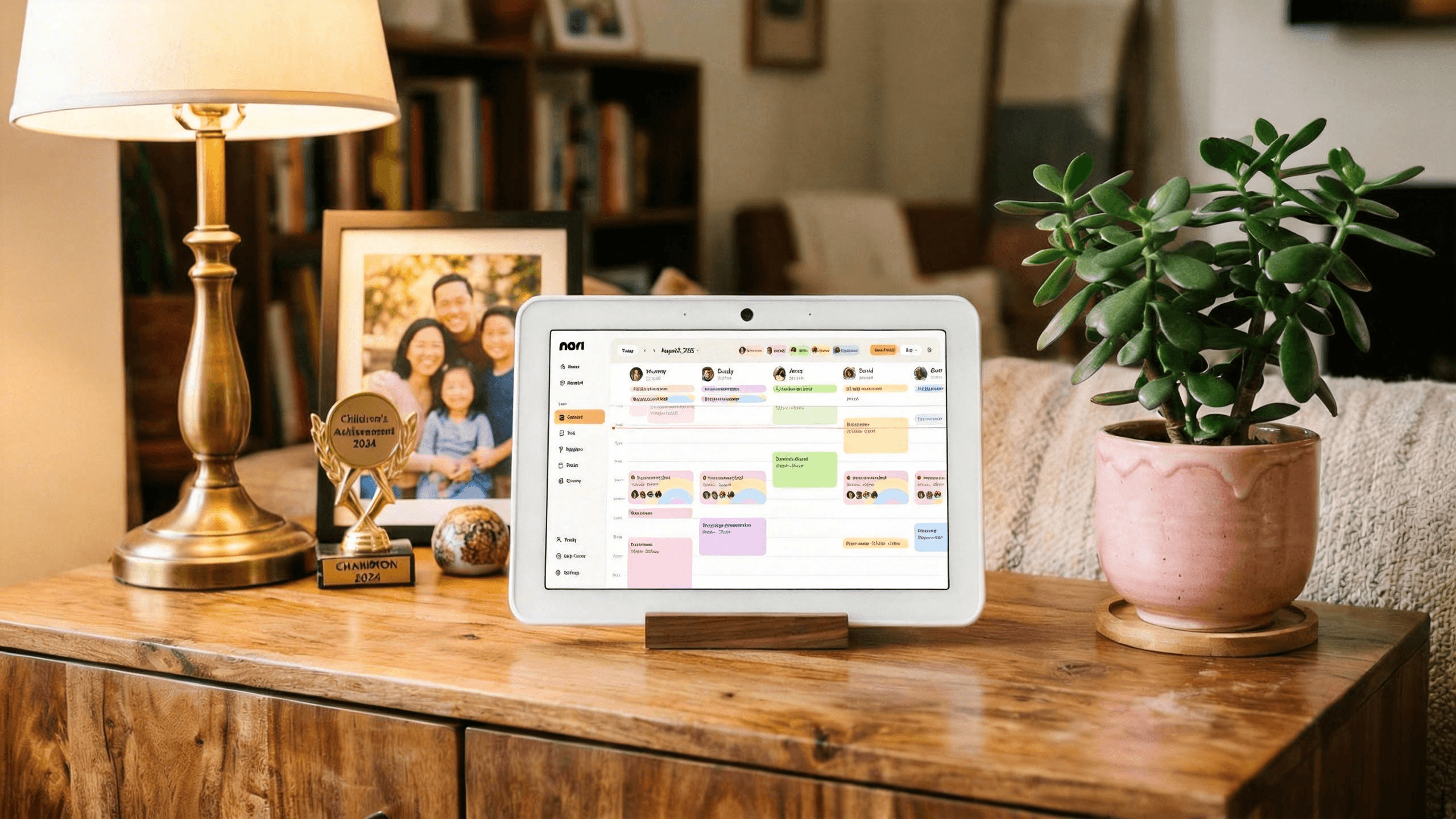
Traditional family organizers force you to type everything. The best AI family organizer 2026 changes that: it understands speech, extracts events from photos, and parses forwarded emails—turning hours of manual entry into seconds. Here's how the top options compare. For a broader view, see our best family calendar app and best family organizer app roundups.
Key Takeaways
- Nori uses AI for voice, photo, and email input—add events and tasks without typing
- Sense focuses on email-to-calendar automation for school and sports schedules
- Cozi and FamilyWall offer family hubs with limited AI; manual entry dominates
- AI organizers reduce mental load by automating the "inbox" of family logistics
- Choose based on input preference: voice-first, photo-first, or email-first
What Is an AI Family Organizer?
An AI family organizer is an app that uses artificial intelligence to reduce manual data entry. Instead of typing "Soccer practice every Tuesday 4:30 pm," you might say it, snap a flyer, or forward an email—and the AI extracts the details and adds them to your calendar or task list.
The best AI family organizers also handle meal planning, recipes, and shopping lists—unifying family logistics in one place. For meal planning with AI, see our best meal planning app for families guide.
Why AI Input Matters for Family Organization
Manual entry creates a bottleneck: you receive a school flyer, a confirmation email, or a verbal reminder—and you must stop, open an app, and type. That friction leads to delay. Delay leads to forgotten events. AI input removes the friction. Say it, snap it, or forward it—and the system captures it. According to Pew Research, parents report higher stress when managing household logistics; AI-assisted tools can reduce that cognitive load by automating the "inbox" of family life.
Top 5 AI Family Organizers for 2026
1. Nori — Best Overall AI Family Organizer
Nori is an AI-powered family assistant that organizes schedules, tasks, meals, and routines through voice, photo, and email. Say what you need, snap a school flyer, or forward a confirmation—Nori picks the right tool and gets it done. It has scheduled 1M+ events for 20,000+ families and saved parents 2M+ hours.
AI features: Voice-to-schedule, photo-to-calendar, email-to-calendar, AI meal planning, AI-generated tasks, call alerts for important events.
Pros: Voice, photo, email input; meal planning; call alerts; family-shared. Cons: AI usage billed per use. Pricing: Core free; AI pay-as-you-go.
Best for: Families who want multi-modal AI input and an all-in-one platform.
2. Sense
Sense specializes in email-to-calendar. Forward school schedules, sports confirmations, or appointment emails—Sense extracts events and adds them to your calendar. Free trial; then ~$5/month. Strong for parents drowning in schedule emails.
Pros: Strong email extraction; affordable. Cons: Email-only; no voice or photo. Pricing: ~$5/month after trial.
Best for: Email-heavy families who get most schedules via email.
3. Cozi
Cozi offers a family hub with calendar, lists, and meal planning. AI is limited; entry is mostly manual. Cozi Gold adds premade lists and agenda emails. Good baseline, but not AI-first.
Pros: Proven, 12M+ families; lists and meal planning. Cons: Manual entry; limited AI. Pricing: Free; Gold $40/year.
Best for: Families who want a proven all-in-one with minimal AI.
4. FamilyWall
FamilyWall provides shared calendars, location, tasks, and messaging. Some AI features; core experience is manual. Strong for coordination and location sharing.
Pros: Location, messaging, tasks. Cons: Manual entry; some AI features. Pricing: Premium from $4.99/month.
Best for: Families who prioritize location and messaging over AI input.
5. Ollie AI
Ollie AI focuses on meal planning and personalized recipes. Less emphasis on calendar and scheduling. Good if meal planning is your primary need.
Pros: AI meal planning; personalized recipes. Cons: Limited calendar/scheduling AI. Pricing: Subscription.
Best for: Families who want AI meal planning more than AI scheduling.
Voice vs. Photo vs. Email: Which AI Input Fits You?
- Voice-first: Best when you're driving, cooking, or hands-free. Say "Add dentist Tuesday 10am" or "Remind me to pick up dry cleaning Friday." Nori supports native voice; others rely on Siri/Assistant, which may not add to shared family lists correctly.
- Photo-first: Best when schedules arrive as flyers, PDFs, or screenshots. Snap a school flyer, a sports schedule, or a screenshot from a team app—Nori and Calendara extract events from images. No typing required.
- Email-first: Best when schools and coaches send schedules via email. Forward the message; Sense and Nori parse it and add events. Ideal for confirmation emails, appointment reminders, and school announcements.
Many families use all three depending on the situation. You might snap a flyer at pickup, forward an email at work, and say a reminder while cooking. Nori is the only option that combines voice, photo, and email in one app—so you're covered no matter how information arrives.
How AI Reduces Family Mental Load
According to Nori user surveys, 98% of parents report reduced mental load when using AI-assisted organization. The reason: AI handles the "inbox" of family logistics—parsing flyers, emails, and voice notes so you don't have to remember to type everything in.
The mental load of family organization isn't just the time spent typing. It's the constant tracking: "Did I add that? Did I tell my partner? What's happening Tuesday?" AI captures information at the moment it arrives, so it's in the system before you forget. The best AI family organizer 2026 doesn't just store data—it captures it from the sources you already use. For more on reducing mental load, see our guide on how to reduce mental load as a parent.
Use Cases: When an AI Family Organizer Shines
Back-to-school chaos — Flyers, emails, and verbal announcements flood in. Photo-to-calendar and email-to-calendar turn that flood into organized events in minutes. No more lost permission slips or forgotten early dismissals.
Sports season — Practices, games, and tournaments arrive as printed schedules and team app screenshots. Snap or forward; the AI extracts dates, times, and locations. Recurring events (e.g., "every Tuesday 4pm") are detected automatically.
Co-parenting — Shared calendars need to stay current. When one parent receives a schedule change via email, forwarding it ensures both see the update. No manual retyping or "I thought I told you."
Meal planning — AI can suggest meals based on preferences, allergies, and what you have. Nori's AI meal planning integrates with the family calendar—so dinner plans don't conflict with evening activities.
ADHD and busy parents — Voice input captures thoughts the moment they occur. No "I'll add it later" (which often never happens). See our best ADHD family organizer apps for more.
Comparison at a Glance
| App | Voice | Photo | Meal Planning | Family Sharing | |
|---|---|---|---|---|---|
| Nori | Yes | Yes | Yes | Yes | Yes |
| Sense | Yes | Yes | Yes | Yes | Yes |
| Cozi | Yes | Yes | Yes | Yes | Yes |
| FamilyWall | Yes | Yes | Yes | Yes | Yes |
| Ollie AI | Yes | Yes | Yes | Yes | Limited |
When AI Input Fails: Fallbacks
Handwritten notes — AI/OCR struggles with messy handwriting. Use voice instead: "Add field trip March 15." Or type it manually.
Complex PDFs — Multi-page schedules with tables may not parse perfectly. Screenshot the key page. Or add the first few events manually and use AI for the rest.
Non-English content — Accuracy may vary. Review carefully. For critical events, double-check.
Real-World AI Organizer Workflows
Back-to-school chaos — Flyers, emails, verbal announcements. Photo-to-calendar and email-to-calendar turn the flood into organized events in minutes. No lost permission slips. No forgotten early dismissals. Voice captures the reminder you get at pickup: "Add field trip March 15."
Sports season — Practices, games, tournaments. Printed schedules and team app screenshots. Snap or forward. AI extracts dates, times, locations. Recurring events (e.g., "every Tuesday 4pm") detected automatically. Both parents see the schedule. No manual retyping.
Co-parenting — Shared calendars need to stay current. When one parent receives a schedule change via email, forwarding ensures both see the update. No "I thought I told you." The system holds the truth. Both can act.
Meal planning — AI suggests meals based on preferences, allergies, and what you have. Nori's AI meal planning integrates with the family calendar—dinner plans don't conflict with evening activities. Plan quick meals for busy nights; longer recipes for slow nights.
ADHD and busy parents — Voice captures thoughts the moment they occur. No "I'll add it later" (which often never happens). The system holds it. You can let go. See our best ADHD family organizer apps for more.
Getting Started: AI Family Organizer in 5 Minutes
- Download Nori or Sense — Nori for voice + photo + email. Sense for email-only. Create an account.
- Connect your calendar — Google, Apple, or Outlook. Your AI-added events will appear in your existing calendar.
- Add family members — Invite your partner, caregivers, older kids. Shared visibility is the point.
- Capture one event — Try voice: "Add dentist Tuesday 10am." Or photo: snap a flyer. Or email: forward a confirmation. See how fast it is.
- Establish the rule — "If it's not in the app, it doesn't exist." Make the app the source of truth. The more you use it, the more valuable it becomes.
Pro tip: Start with one input type. Master it. Then add voice or photo. Don't try to change everything at once. One workflow at a time. By week 4, you'll wonder how you lived without it.
Conclusion
Nori leads the best AI family organizer 2026 category with voice, photo, and email input. If you're ready to stop typing and start living, try Nori free.
FAQ: Best AI Family Organizer 2026
What's the difference between an AI family organizer and a regular one? Regular organizers require manual typing. AI organizers accept voice, photos, and emails—extracting event details automatically. Less typing, fewer missed events.
Is AI family organizer input accurate? Top apps like Nori use AI trained on family schedules; accuracy is high for standard formats (flyers, confirmations). Always review extracted events before confirming.
Can I use an AI organizer with my existing calendar? Yes. Nori, Sense, and others sync with Google Calendar, Apple Calendar, and Outlook. Your events appear in your existing calendar.
Which AI family organizer is best for voice input? Nori supports native voice input for calendar and tasks. Other apps rely on Siri or Google Assistant, which may not always add to shared family lists correctly.
Is my data safe with AI organizers? Reputable apps encrypt data and comply with privacy regulations. Nori and major providers (Sense, Cozi) have clear privacy policies. AI processing typically happens on secure servers; read the privacy policy before sharing sensitive family information.
Can AI handle handwritten notes or messy flyers? AI and OCR work best with typed or printed text. Handwritten notes may have lower accuracy. For handwritten reminders, voice input ("Add field trip March 15") is often more reliable than photo extraction.
Related Articles
- Best Family Calendar App 2026
- Best Family Organizer App 2026
- Best Meal Planning App for Families 2026
- How to Organize Family Schedule (Without Losing Your Mind)
Written by the Nori Team. Nori has scheduled 1M+ events for 20,000+ families.